
Screenshots
About Stylish Fonts & Keyboard
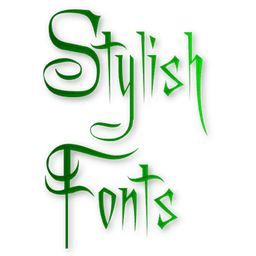
Transform your Android device with Stylish Fonts & Keyboard, the ultimate font customization app that lets you personalize every message with unique typography. Express your personality through text by choosing from 50+ stylish fonts, each with instant preview so you can see exactly how your messages will look before sending.
Personalize your messaging experience across all your favorite platforms. Whether you're chatting on WhatsApp, Instagram, Facebook, Snapchat, or any other messaging app, you can instantly apply stunning fonts and decorative text styles to stand out from the crowd. The built-in keyboard integration makes switching fonts effortless—simply type and watch your text transform with elegant, trendy, and creative typefaces that match your mood and mood.
Beyond everyday messaging, create eye-catching stylish text and art to share across social networks. Use the dedicated Message Maker feature to design and send beautiful greeting images with styled text, perfect for impressing friends and family. Craft unique bio text and status updates that showcase your personality—then copy and share them instantly across your favorite platforms.
The app supports a wide range of Android devices including Xiaomi, Redmi, Oppo, Samsung, Vivo, Asus, and many others. With unlimited possibilities for text decoration, symbols, and artistic fonts, you'll never run out of fresh ways to express yourself. The intuitive interface makes it simple to browse, preview, and apply fonts without any technical knowledge.
Whether you need elegant fonts for professional messages, cool text styles for casual conversations, or decorative symbols to enhance your bios and statuses, Stylish Fonts & Keyboard delivers the creative tools to elevate your digital expression. Stand out, impress, and personalize every word you type. Download Stylish Fonts & Keyboard today and unlock a world of typographic possibilities for your Android phone.
Pros & Cons
Pros
- 50+ fonts with instant preview before sending messages
- Works across WhatsApp, Instagram, Facebook, Snapchat, and other apps
- Built-in Message Maker feature for creating styled greeting images
- Intuitive interface requires no technical knowledge to use
Cons
- Keyboard integration may require permissions to access your typing
- Free app model likely includes ads within the interface
- Text styling relies on Unicode characters, not supported everywhere
- Font rendering varies depending on recipient's device and app
Related Apps

AlienGUIse
Desktop themes and manager for Windows — transform your system with 5 futuristic designs.

SharpKeys
Remap keyboard keys to launch apps, media controls, and custom commands on Windows.

RocketDock
Desktop launcher for Windows — quick access dock with customizable icons and positioning.

Custom Resolution Utility (CRU)
Display resolution utility: Create custom resolutions for your monitor with precise refresh rate control.

Lagguy Wallpapers
Lagguy
4K & HD wallpapers for Android — minimal, abstract, nature, AMOLED designs with lifetime access

Lock Screen OS
Apps Genz
Customize your lock screen with widgets, photos, and notifications. Replace Android's default lock screen.
Latest Articles

7 best apps for birthday reminders on Android in 2026
Jul 12, 2026

Best apps for D&D character sheets on Android in 2026 (7 tested)
Jul 12, 2026

Best apps for gaming on integrated graphics for desktop in 2026 (we tested 7)
Jul 12, 2026

Best apps for live sports streaming on desktop in 2026
Jul 12, 2026

Best apps for movie tracking on Android in 2026 (free and paid)
Jul 12, 2026